TUTORIAL
Creating a carousel V6
Learn how to build an eye-catching image carousel and display it on your media.

About carousels
A carousel is a slideshow content type: a series of images that readers swipe through. You create it in the Composer, under Contents, in the Carousels section, then publish it to your media like an article.
Create a new carousel
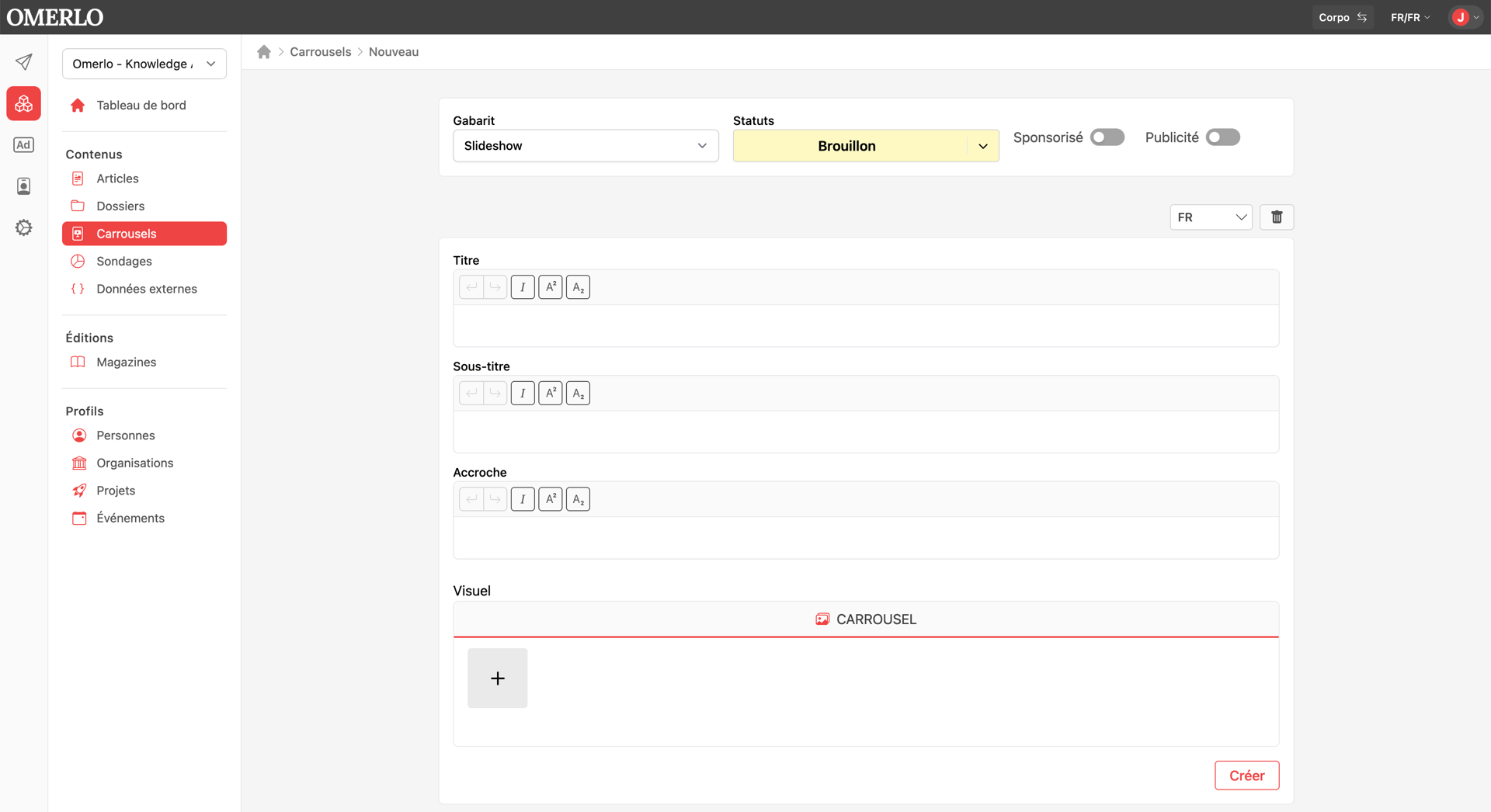
In the Composer, open Carousels (under Contents), then click New. The Slideshow template is selected by default and the status is Draft. Choose the language, then click Create.
Enter the information
Enter the carousel's Title and, if needed, a Subtitle and a Lead-in. These fields describe the carousel within your media.
Add the images
In the Visual section, select the CAROUSEL tab, then click the + button to add each image. Every image you add becomes a slide of the carousel. You can add several and reorder them by drag and drop.
Author and saving
Under Authors, choose People or Organizations, search for the desired profile, select it, then click Save. The carousel stays in Draft status until you publish it.
Publish the carousel
Open the Publications tab, select the media, then create a publication. The carousel then becomes visible on your media, just like an article.